
eZaango

Employee data sync
Manual & Automated
Timesheets
Via API
Setup
Assisted / On-Request
Available On
All Plans
- Employee Data Sync
- Timesheets & Rostering
- Pricing & Getting Started
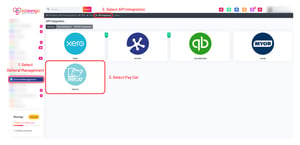
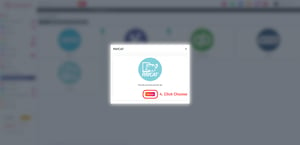
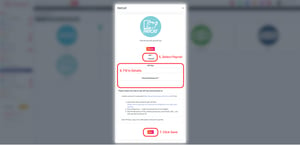
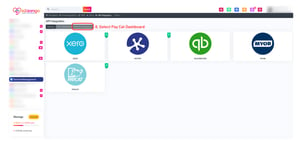
- Pay Cat Connect
How employee records move between Pay Cat and eZaango Care Partners.
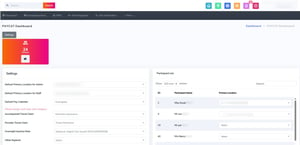
Pay Cat and eZaango Care Partners exchange employee updates directly via API. Sync can run manually or automatically, based on a timer each client sets.
Bi-directional sync. Pay rate/classification and leave balances flow from Pay Cat to eZaango Care Partners. Name and email, and leave requests, flow the other way, from eZaango Care Partners to Pay Cat.
Sync can be triggered manually by a user in eZaango Care Partners, or run automatically on a timer that each client configures individually.
Staff can be matched using either their email address or their Pay Cat Employee ID, as both are treated as unique identifiers.
How shift and timesheet data reaches Pay Cat for pay runs.
eZaango Care Partners does not offer a spreadsheet export. Timesheet data reaches Pay Cat through the API connection instead.
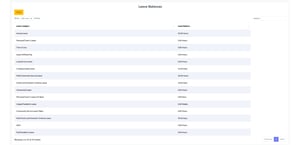
Custom work types and service types can be mapped to Pay Cat cost items.
Active time has defined start and end times that overlap the sleepover period, rather than sitting outside it.
Travel time is recorded in eZaango Care Partners and can be exported to Pay Cat as a timesheet line.
eZaango Care Partners sends participant name, shift hours, and kilometres travelled through to Pay Cat. Shift conditions such as penalty and overtime rules, and allowances other than travel kilometres, are not currently supported.
Which plans include the integration, and where to start.
The Pay Cat integration is available on all of eZaango Care Partners' subscription tiers, upon request. See pricing.
See it in action
The Pay Cat × eZaango integration, in action