

Pay Cat Toolbox · Portable long service leave report
Your portable LSL return, done in about 10 minutes.
Toolbox pulls each worker's wages straight from Pay Cat Payroll, applies your scheme's reporting rules and builds the upload file for you. No more copying wages into the portal one line at a time.
Next NSW return due 14 October 2026
$2 per active employee per month, added to your Pay Cat Payroll plan. No new contract.
Not on Pay Cat Payroll yet? Book a demo
Why does portable long service leave reporting take so long?
Because the rules change from scheme to scheme, the deadline comes round every quarter, and most of the work is done by hand.
Every scheme counts wages differently
NSW, Victoria, Queensland, SA and the ACT each decide which pay categories are reportable. Penalties, allowances, overtime and leave all need a decision.
It's due every quarter
Four returns a year, each with a short window once the quarter closes. In NSW, it's 14 days.
It's mostly copy and paste
Most providers type each worker's wages into the scheme portal line by line. Staff in more than one state? You do it again for each scheme.
For a provider with 50 or more staff, one return can take anywhere from a couple of hours to a full day.
See it in action
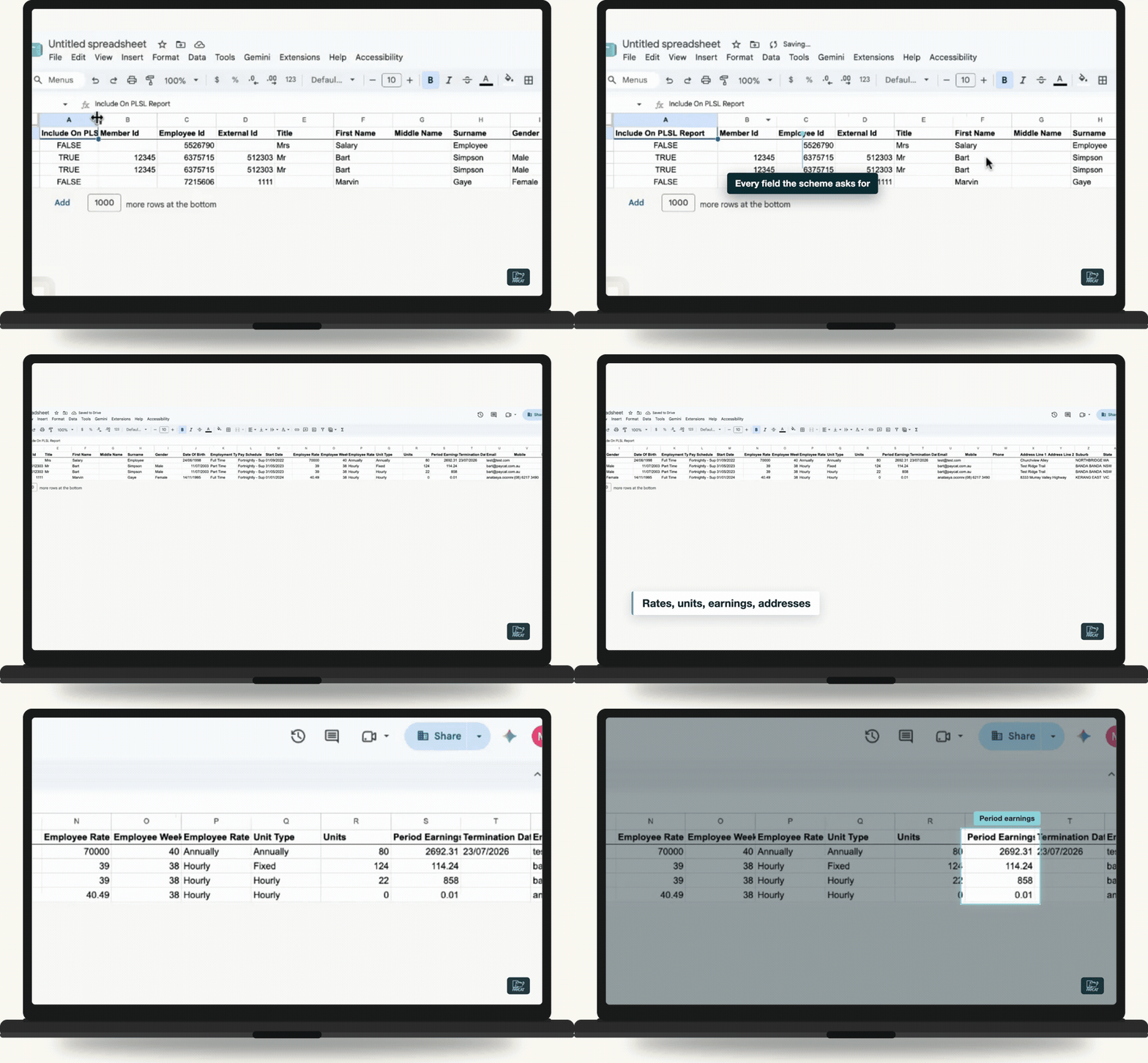
Watch a portable LSL return go from payroll to upload file
Just over two minutes, start to finish. No copy and paste.
How does Toolbox do your return?
Three steps. The first two you only do once.
1
Connect once
Install Toolbox in Google Sheets and paste in your Pay Cat Payroll API key. That's the most technical it gets.
2
Check your pay categories
Toolbox pre-ticks what's reportable for your scheme and flags the few you need to decide. Set it once and it's ready every quarter.
3
Generate and upload
Pick the quarter, run the report and upload the file to your scheme's portal. That's your return done.
How much time does it save?
By hand
Up to a full day
Copying wages into the portal, every quarter.
With Toolbox
About 10 minutes
Run the report, upload the file, done.
Based on a first run on a real NSW file, September 2026.
Which schemes does Toolbox cover?
Toolbox builds returns for the community services portable long service leave schemes in:
New South Wales Victoria Queensland South Australia ACT
Employ staff in more than one state? Toolbox reports wages by where the work was done, so run the report once for each scheme.
Already using Pay Cat?
Toolbox is ready to install. No demo, no waiting.
I'm a Pay Cat customer, take me to the Pay Cat Toolbox!What does it cost?
$2
per active employee per month
A provider with 40 active employees pays $80 a month.
✓Added to your existing Pay Cat Payroll plan, with no new contract
✓Billed like Pay Cat Payroll: only for employees active that month
✓Includes every Toolbox report, not just portable long service leave
✓New reports are added at no extra cost
Free webinar · Thursday 8 October 2026
See the portable LSL report run live
Tasya, our Head Trainer, walks through a real quarterly return from start to finish, six days before the NSW due date.
Questions people ask before turning Toolbox on
Pay Cat Payroll with Toolbox is $11 per employee, per month. That covers the payroll platform and all nine Toolbox tools, Employee Updater through to the SCHADS 5-Week Annual Leave Assessment. There is no separate fee per tool.
Already on Pay Cat Payroll? Adding Toolbox is an extra $2 per employee, per month, taking your subscription from $9 to $11.
Toolbox is charged on your active employee count, the same basis as your Pay Cat Payroll subscription, and it is only available to Pay Cat customers with an active API key. See our pricing page for the full breakdown and exact terms.
Install the app and click the link under "support" to access the set-up guide. Got questions? Reach out to support.
Yes, but a free Gmail account is enough, you don't need a paid Google Workspace subscription. Toolbox is a Google Sheets™ extension, so you'll need a Google account to install it and run it in a Google Sheet.
No. Everything runs from menus inside Google Sheets. If your team is comfortable in a spreadsheet, they're already comfortable in Toolbox.
No. Toolbox is built for Google Sheets only, not Excel. Once you've generated a report, though, Google Sheets can export it straight to XLSX format if you need the file in Excel.
Make a copy of the spreadsheet, or duplicate the generated data tab, before a big update. That way there's always a clean copy to fall back on if something needs a second look.
Ready to get Toolbox working for your team?
Two ways in, depending on where you are with Pay Cat.
Already with Pay Cat
Add Toolbox to my accountNo demo needed. Install straight from the Google Workspace Marketplace.
New to Pay Cat
Book a demoSee Toolbox running against a real business file, alongside the rest of Pay Cat.